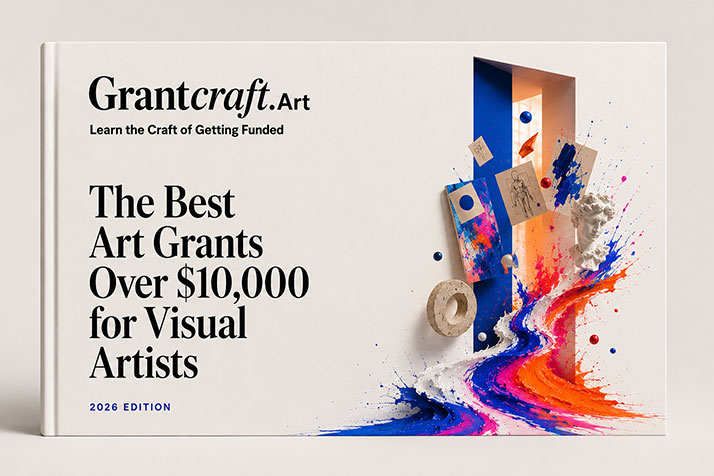
Use AI tools without losing your voice
Most artists already use AI to help write grant applications. This guide is not here to talk you out of that. It is here to show you how to use these tools so your applications get stronger, not blander, so reviewers hear you, not a chatbot, and so you stop wasting hours chasing down citations that were never real to begin with.
| 10 | 10 | 1 |
|---|---|---|
| AI tools reviewed, sorted by job | Ready-to-use prompts | System that ties it all together |
Table of Content
00 — Why the shortcut backfires?
01 — Context is King
02 — 10 tools, 4 jobs
03 — Verify or get rejected
04 — Copy-Paste 10 prompts
05 — AI waste of time?
You are the artist. You are at the center of everything.
Don’t let chatbots average your voice.
You own the work. You own the words. Your personality is not a feature to optimize. Your opinions are not a liability.
You are precious. You are valued.
Keep making. Keep applying.
A note before you start
Let’s be honest about something. I am not going to pretend that nobody uses AI to help write their grant applications. Almost everyone does it already. But after 20 years of writing grants that have brought in over $400,000, I can tell you this: if you use these tools the wrong way, they will work against you. Reviewers can tell.
As an educator, I see it as my job to show you how to use AI well. AI companies love to talk about “Artificial General Intelligence,” a future super-smart AI that will supposedly fix everything. I do not buy it. Any tool, AI included, should make our work better and bring us closer to the people we are trying to reach, not replace the thinking that makes our work matter. These tools are already changing how we work, how we write, and how we see ourselves as artists. The best move is to learn to use them on purpose, with a clear head, instead of letting them quietly use us.
I will not get into the bigger debates about artificial intelligence here. If you want to go deeper, a good starting point is “Superintelligence: Paths, Dangers, Strategies” by Nick Bostrom, a philosopher at Oxford University who has spent years thinking about where this technology is headed.
Why the obvious shortcut backfires?
Here is the shortcut almost everyone takes. You open ChatGPT or Claude, paste in the call for proposals, and type: write me a grant application for this. What comes back looks like a grant. The structure is right. The sentences are clean. It even mentions your discipline. And it is completely hollow.
Reviewers notice. They have read thousands of applications, and they can feel when nobody is actually home in the writing.
Here is the real problem: it is not the tool. It is what happens before you open it. Most artists skip the hardest step, which is sitting with their own work long enough to know why it matters, before they ever ask a machine to describe it.
THE ONE RULE THAT CHANGES EVERYTHING
👁️A rough prompt with real context about your work will always beat a perfect prompt with no context at all. If you have not done the thinking first, the AI has nothing real to work with. So it makes something up that sounds confident, reads smoothly, and says nothing true about your work.
What this guide covers
00 — Why the shortcut backfires?
01 — Context is King
02 — 10 tools, 4 jobs
03 — Verify or get rejected
04 — Copy-Paste 10 prompts
05 — AI waste of time?
Before you start
Build your Grant Context Doc first (Section 1). Do this before you touch any of the prompts in Section 4. Every prompt in this guide assumes the AI already has your context. Skip this step, and you get the same generic output as everyone else, and a generic application is an easy application to reject.
SECTION 01 — Context is King
👁️Before you use any prompt in this guide, you need to give the AI somewhere to start. A Grant Context Doc is one document that tells AI everything it needs to know about your practice. You build it once, and you paste it into any conversation before you start working.
Six things to put in your context doc
Open a blank document and fill in each of the six sections below. Two or three sentences per section is enough. The goal is to give the AI enough to work with, not to rewrite your entire artist biography.
1. Who you are
Your name, your practice, your medium, and the short version of how you got here. This is your identity anchor. It tells the AI who is speaking.
I am [name], a [discipline] working primarily with [medium]. I started [why/when] and now [current focus].
2. Your lineage
The artists, writers, or thinkers who opened a door for you, and why. This is part of your argument, not background decoration.
The artists who opened a door for me are [names]. What I took from them was [specific idea or method], and it shows up in my work as [how].
3. What this project is asking
Not what the work is about. What it is asking. Write one or two sentences, in your own words.
This project asks [core question]. It does this by [how the work approaches that question].
4. What is yours to make
Your particular position, history, and obsessions. Not why you are talented. Why this project is yours, and no one else’s, to make.
This project is mine to make because [your specific position, history, or obsession that makes this yours].
5. What success looks like
Describe success for the work itself, in concrete terms. Who does it reach? What changes because it exists? Keep it specific and countable where you can. For example: five new paintings completed and exhibited, one solo show at a local gallery, one workshop where 10 kids learn to weave, or a guided studio tour for 30 people from your neighborhood.
If this project succeeds, [concrete outcome for the work itself, not for your career].
6. A sample of your writing
Paste in a paragraph from a past statement or proposal that you are proud of. Of everything on this list, this is the single most useful thing you can give the AI, because it shows your voice instead of describing it.
HOW TO USE IT
Here is an example of my writing at its best: [paste your actual paragraph here]
Paste the whole Context Doc at the start of every AI conversation, along with one line: “Here is context about my practice and this project. Use it to help me think, not to write for me.” Then bring in the prompts from Sections 2 and 4.
Section 02 — 10 tools, 4 jobs
These are the tools worth using, organized by the job they do for you. Most artists have ten browser tabs open and use none of them well. Pick one tool per job, get good at it, and only add more once that one earns its place.
1. The Researcher: funders, lineage, and theory
Use these when you need to research a funder, find historical and contemporary precedents, or build your critical lineage.
Claude Research — FREE TIER
sources than competitors on the same prompt. Follows multi-part instructions reliably, and can read your own Google Drive documents while it researches, so it can cross-reference your Context Doc directly.
Best for: thorough, citation-heavy research, especially once your Context Doc is in Drive
ChatGPT Deep Research — FREE TIER
This is a slower, deeper mode, not your everyday chat. You give it one big question, and it spends up to half an hour browsing dozens of sources before handing back a long report with section headings, like something a research assistant might hand you after a week of digging. Use it when you need real depth, not a quick answer.
Best for: a long, structured research report when you have time to read it
Gemini Deep Research — FREE TIER (limited)
Like ChatGPT’s version, this is a separate research mode: it builds a multi-step research plan first, which you can review and edit before it starts browsing, so you can redirect it before it spends its budget on the wrong angle. It then produces a long report and saves it as a Google Doc, which is handy if your Context Doc and notes already live in Drive.
Best for: a free starting point, especially if you already live in Google Docs and Drive
Perplexity — FREE TIER
This is a search engine with an AI layer on top, not a deep research mode. Ask it a question and it answers in seconds, with sources cited inline as it goes, so you can click through right away. It is faster than Deep Research for a single quick lookup, but less thorough if you need a full research map.
Best for: quick fact checks and spot-verifying a single claim
2. The Writer: drafting and editing
Use these once your Context Doc exists and you have already done the thinking in Section 1.
Claude or ChatGPT — FREE TIER
With your Context Doc loaded, either one is a strong drafting and editing partner. Ask for structural feedback, a plain-language rewrite of a dense paragraph, or a tighter version of a statement that has run too long.
Best for: drafts, rewrites, and the critical-friend review in Prompt 10
Otter.ai — FREE TIER
Transcribes voice notes and studio conversations. Talk through your project out loud, in your own words, and feed the transcript to Claude or ChatGPT as raw material for your statement. This is often the fastest way to get your real voice onto the page.
Best for: quick fact checks and spot-verifying a single claim
Grammarly — FREE TIER
Catches typos, awkward phrasing, and shifts in tone in a finished draft. Use it last, after the thinking and structure are settled, never as a substitute for editing.
Best for: a final proofreading pass before you hit submit
3. The Fact-Checker: verification
Use these to verify anything an AI research tool gives you, before it goes anywhere near an application. Section 3 covers the full method.
Google Scholar — FREE
Search the exact paper title in quotation marks. If a citation an AI gave you does not turn up here, on doi.org, and on a general web search, treat it as made up.
Best for: verifying academic citations
doi.org — FREE
Paste any DOI directly into the search box. A real DOI takes you straight to the paper. A fabricated one returns an error immediately, no guesswork required.
Best for: a ten-second check on any DOI an AI tool gives you
4. The Organizer: staying on top of deadlines
Use this to keep your research, drafts, and deadlines from living in twelve different browser tabs.
Google Sheets — FREE
A shared spreadsheet is still the simplest way to track deadlines, amounts, and where each application stands. Use the built-in Gemini features to summarize a long funder page into a few bullet points, or to turn a call for proposals into a first-pass checklist of required documents, right inside the sheet you are already using.
Best for: a single tracker for every grant, deadline, and draft status, with AI built in
5. The Designer: images and visual assets
Use these for mockups, social media graphics, and quick visual edits, not for finished artwork.
Canva AI — FREE TIER
Canva’s built-in AI tools can generate backgrounds, resize a design across platforms, and write rough first-draft captions. Good for the visual housekeeping around a grant, not for the artwork itself.
Best for: social media graphics, simple mockups, and presentation slides
Adobe Firefly — FREE TIER
If you already use Photoshop or Illustrator, Firefly is built into the same workflow, useful for extending a background, removing an object, or testing a layout idea fast.
Best for: quick image edits and generative fill inside tools you may already own
Ideogram — FREE TIER
Most AI image tools mangle text. Ideogram is the one that reliably gets words and logos right, useful for quick visual concepts or social posts.
Best for: AI-generated images that need to include readable text or logos
remove.bg — FREE TIER
Upload a photo of a piece or a studio shot, and it strips the background in seconds. Useful for portfolio shots, social posts, or mockups where you need your work on a clean or transparent background.
Best for: instantly removing the background from a photo of your work
6. The Video Editor: reels and short-form edits
Use these for social content about your practice, not for your actual film or video work.
CapCut — FREE TIER
Auto-captions, simple transitions, and templates built for vertical video. The fastest way to turn studio footage into a watchable clip.
Best for: fast, mobile-friendly edits for reels and short social clips
Descript — FREE TIER (limited)
You edit the text of what was said, and the video follows along. Strong for talking-head clips, artist interviews, or narrated studio walkthroughs.
Best for: editing video by editing a transcript, and removing filler words automatically
Runway — FREE TIER
A toolbox of AI video effects, from clean background removal to more experimental generative tools. Most useful for short promotional clips, not for your core artistic output.
Best for: AI-assisted effects, background removal, and generative video experiments
OpusClip — FREE TIER
Feed it a longer recording, an artist talk, a studio tour, and it finds and cuts the strongest short moments automatically. Useful if you have existing footage sitting unused.
Best for: turning one long video into several short clips for social media
Section 03 — Verify or get rejected
👁️ AI research tools are fluent, fast, and occasionally wrong with total confidence. Knowing how to catch that is the difference between a guide you trust and a fake name showing up in your application.
Most artists treat AI like a fortune teller. They shake it, ask a big question, and either trust the answer completely or give up on the tool altogether. Neither response helps you. The middle path is a habit, and that habit is what protects your credibility.
THE NUMBERS BEHIND THE WARNING
A 2026 University of Pennsylvania study found that between 3% and 13% of the URLs cited in AI-generated research reports were completely made up (Rao, Wong, and Callison-Burch, arXiv:2604.03173). An earlier study found that for niche humanities topics, close to 90% of the academic citations (DOIs) an AI produced did not exist at all (Zhan et al., arXiv:2601.22984). The more obscure your subject, the more the AI fills the gaps with confident fiction.
This is not a reason to avoid the tool. It is a reason to always budget time for the third step below.
- Write the prompt (about 5 minutes)
- Wait for the report (about 5 minutes)
- Verify the citations (about 10 minutes, and this step is not optional)
Fluent writing is not proof that something is true. A made-up citation reads exactly like a real one. The single most useful line you can add to any research prompt is this: flag any claim you cannot ground in a specific cited source. It will not stop the AI from inventing things, but it forces the AI to show you where it is guessing instead of hiding it.
How to verify, by claim type?
Citations and DOIs
Paste every DOI into doi.org. Search the exact paper title, in quotation marks, on Google Scholar. If all three checks come back empty, the citation does not exist.
Direct quotes
Open the source the AI cited and search for the exact phrase. If those words are not in the document, the quote was invented, even if the source itself is real.
Grant amounts
Check the funder’s own website. Not the AI’s summary of it.
Auction and market prices
Check the auction house’s own database directly. AI invents secondary-market figures down to the dollar, and says them with total confidence.
Residency deadlines and stipends
Treat every date and dollar figure as provisional until you have clicked through to the program’s own current page.
Section 04 — Copy/Paste 10 prompts
👁️ Use these after you have pasted your Context Doc into the conversation. Fill in the bracketed sections with your specifics. The more specific you are, the better the output. Always verify before you use anything these prompts return.
PROMPT 01 — Researching a funder before you apply
Act as a grants research assistant. I am applying to [funder name]. Search their website, their recent press releases, and their publicly available grantee lists from the last three years. Give me: the last ten grants awarded with recipient names, project descriptions, and amounts; recurring themes across funded projects; the typical grant size range; patterns in career stage, geography, medium, and identity of recipients; and the exact language the funder uses to describe its priorities today. Provide a source URL for every claim. Flag any claim you cannot verify with a direct link.
Verify every name and amount on the funder’s own site before you use any of it. AI invents grantees and dollar figures with total confidence. If a fake name turns up in your application, the program officer will notice, and you will not get a second chance.
PROMPT 02 — Pulling the evaluation criteria
Act as a grants research assistant. I am applying to [funder name] for [grant or program name]. Find and quote the exact evaluation criteria for this program, including any scoring rubric, weighting between criteria, and language describing what reviewers consider a strong application. Also find any sample successful applications, project summaries, or judges’ comments the funder has published. Summarize what a winning application for this funder looks like in practice, not just on paper. Provide a source URL for every claim.
This is the prompt most people skip, and it is one of the most important. Before you write a word, know exactly what the reviewers are scoring you on, and what “good” has looked like for this funder before. Then write toward that, honestly, with your own project.
PROMPT 03 — A research map for your artist statement
Act as a grants research assistant. I am an artist working with [describe your practice in three sentences: medium, subject, scale, tone]. Build me a research map with four parts: three to five historical precedents before 1980 whose work or methods connect to mine, each with a verifiable museum collection link; five to eight living artists working in genuine dialogue with my practice, each with a one-sentence explanation and a link to a recent exhibition or collection page, and include artists from outside Western Europe and North America, not only the most well-known names in my field; three museum catalogue essays or texts that address concerns close to mine, with stable URLs; and one sentence on what my practice adds that none of these have addressed. Verify every link. Flag anything you cannot source.
Read everything it returns before you write a single word. The statement comes after the research, not instead of it.
PROMPT 04 — Finding your critical and theoretical lineage
Act as a contemporary art critic and researcher. I am an artist working with [describe your practice in three sentences]. Find ten thinkers, philosophers, or critics whose frameworks are genuinely generative for this work. For each, give a three-sentence summary of their key concept, one canonical primary text with a stable free URL, and one artist or critic who has applied that framework to visual art. Include thinkers from outside Western Europe and North America. Exclude anyone I could not meaningfully engage with after one focused reading. Flag any source you cannot verify with a direct URL.
That last instruction matters. Without it, the AI will confidently cite a text that does not exist at the link it gives you.
PROMPT 05 — Translating your work into the funder’s language
I am applying to [funder name]. Here is their stated mission and priorities: [paste from their website]. Here is my Context Doc: [paste it]. Without changing what my project actually is, identify three to five places where my own language already overlaps with this funder’s priorities, and three places where my framing and their language clearly do not match. For the mismatches, suggest a more accurate way to describe what I am already doing, in my own voice, that would also make sense to this funder. Do not suggest changing the project itself.
This prompt is about translation, not reinvention. If a funder’s priorities genuinely do not overlap with your project, that is useful information too: it may mean this is not the right funder, and that is better to know now than after you have spent a week on the application.
PROMPT 06 — Turning a transcript into a first draft
Here is a transcript of me talking through this project out loud: [paste your Otter.ai transcript]. Here is my Context Doc: [paste it]. Pull out the strongest two or three ideas from the transcript, the ones that are most specific to me and this project, not generic. Turn them into a rough first-draft paragraph for my artist statement, using my own words and phrases from the transcript wherever possible. Do not add ideas, examples, or claims that are not in the transcript.
This is the fastest way to get a first draft that sounds like you, because it is built almost entirely from things you actually said.
PROMPT 07 — A plain-language pass on a dense paragraph
Here is a paragraph from my project description: [paste paragraph]. Rewrite it so a reviewer outside my field can follow it on a first read, without losing any of the specific ideas or claims. Keep my voice and tone. Do not add hedging words like ‘perhaps,’ ‘in many ways,’ or ‘it could be argued.’ Tell me which sentences you simplified and why.
Run your densest paragraph through this first. If a reviewer cannot follow your opening, they may not give the rest of the application a fair read.
PROMPT 08 — Tightening an overlong statement
Here is my artist statement: [paste it]. The word limit is [number]. Cut it to fit, in this order of priority: first remove repeated ideas, then remove generic claims that could apply to any artist, then tighten sentence structure without losing meaning. Do not cut anything that is specific to my project, my materials, or my history. Show me what you removed and why, so I can put anything back that I disagree with.
The instruction to show you what was cut matters. AI editing tools often cut the most specific, most interesting sentence in the piece because it is the longest one. Keep the final say.
PROMPT 09 — A budget narrative from your line items
Here is my project budget: [paste your line items and amounts]. Write a short budget narrative that explains, in plain language, what each major cost is for and why it is necessary to the project described in this proposal: [paste your project description]. Match the language and priorities in the project description. Do not invent costs, vendors, or amounts that are not in my budget.
AI is genuinely useful here because budget narratives are formulaic and repetitive across applications. Just check that every number it describes matches your actual budget exactly.
PROMPT 10 — The critical friend, for reviewing your draft
I am applying for this grant: [link to the call for proposals]. The evaluation criteria are: [paste the criteria, or the entire call]. Based on these criteria, write a critical report on the documents I am submitting: [your CV, portfolio, project description, and budget]. Tell me what I missed. Tell me how to improve. Tell me about my blind spots. Be a critical friend. I want to move this application from a basic draft to a strong, competitive one.
This works because it asks the AI to react to material that already exists, not to generate new material. The thinking stays yours. The AI just tells you where it is thin.
Section 05 — AI waste of time?
👁️ Knowing where AI falls short saves you from wasting time, submitting something that misses the mark, and losing the one thing that actually makes your application work: you.
Always edit the output. Always.
AI is a first-draft machine and a thinking partner. It is not a replacement for your judgment, your story, or your specific experience. Here is where it consistently falls short.
It does not know what happened to you
AI can write a vulnerable-sounding artist statement, but it cannot write your specific story. It fills in plausible details, and those details sound like everyone else’s, because they are. Always replace AI’s version of your story with your actual one.
It does not know this funder the way you will, after the research
The tools in Section 2 can surface patterns across a funder’s giving history. But only you can decide which of those patterns genuinely fit your project, and which would mean bending your work to chase the money.
It hedges everything
Left unedited, AI writing softens every statement and piles on qualifiers. A strong proposal makes clear claims, not cautious ones. Go through any AI-assisted draft and cut every “it could be argued,” “in many ways,” and “perhaps.” These words do not protect you. They just make your application sound unsure of itself.
It cannot tell you what will win
AI can generate research, drafts, and feedback. It cannot tell you which framing will land with this specific panel, this year. Only your judgment, sharpened by the research from Section 1, can do that.
It overuses certain phrases
“Delve into,” “navigate,” “at the intersection of,” “it is important to note.” These are tells. If you see them in AI output, delete them. They are filler, and panel readers see them constantly. The em dash is another one: AI tools use it constantly and unevenly. If your own writing does not normally use em dashes, ask the AI to remove them, or replace them yourself with commas or periods.
THE RIGHT MENTAL MODEL
👁️ Use AI the way a good writer uses a research assistant. It gathers, drafts, and suggests. You decide, shape, and make it yours. The final application should sound like you wrote it, because in every way that matters, you did.